What Is Longhorn?
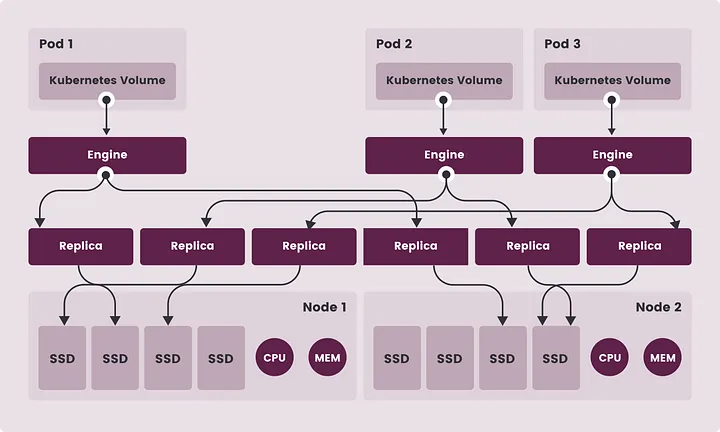
Longhorn is a dependable, efficient, and robust distributed storage system for Kubernetes, it utilizes containers and microservices for distributed block storage. It assigns a specific storage controller for every block volume and replicates the volume across multiple nodes synchronously. Kubernetes is utilized to orchestrate the storage controller and replicas.
Feature
- Use Longhorn volumes as persistent storage for the distributed stateful applications
- Use Kubernetes volumes with or without a cloud provider
- Replicate block storage across multiple nodes and data centers
- Store backup data in external storage such as NFS or AWS S3
- Create cross-cluster disaster recovery volumes
- Scheduling snapshots and backup of a volume
- Restore volumes from backup
- Upgrade Longhorn without disrupting persistent volumes.
Longhorn data flow
¶ Installation
¶ Requirements
- A container runtime compatible with Kubernetes (Docker v1.13+, containerd v1.3.7+, etc.)
- Kubernetes version >= v1.18 and <= v1.24
¶ Pre-Installation
Install open-iscsi and NFSv4 client on all worker nodes
apt-get install open-iscsi
apt-get install nfs-common
Verify cluster information with script
apt-get install jq
curl -sSfL https://raw.githubusercontent.com/longhorn/longhorn/v1.3.2/scripts/environment_check.sh | bash
¶ Install Longhorn
For installation longhorn we can use 2 types, direct from the rancher dashboard when we use Rancher as Kubernetes management & RKE or we can use helm installation. In this scenario we will use GUI Installation method & Helm Installation.
¶ Helm Installation
- Add Chart
helm repo add longhorn https://charts.longhorn.io
helm repo update
- Helm Install
helm install longhorn longhorn/longhorn --namespace longhorn-system --create-namespace --version 1.3.2
- Verify
kubectl -n longhorn-system get pod
¶ Prerequisites for Access and Authentication
These instructions assume that Longhorn is installed.
If you installed Longhorn YAML manifest, you’ll need to set up an Ingress controller to allow external traffic into the cluster, and authentication will not be enabled by default. This applies to Helm and kubectl installations. For information on creating an NGINX Ingress controller with basic authentication, refer to this section.
If Longhorn was installed as a Rancher catalog app, Rancher automatically created an Ingress controller for you with access control (the rancher-proxy).
Accessing the Longhorn UI
Once Longhorn has been installed in your Kubernetes cluster, you can access the UI dashboard.
Get the Longhorn’s external service IP:
kubectl -n longhorn-system get svc
For Longhorn v0.8.0, the output should look like this, and the CLUSTER-IP of the longhorn-frontend is used to access the Longhorn UI:
NAME                TYPE           CLUSTER-IP      EXTERNAL-IP      PORT(S)        AGE
longhorn-backend    ClusterIP      10.20.248.250   <none>           9500/TCP       58m
longhorn-frontend   ClusterIP      10.20.245.110   <none>           80/TCP         58m
In the example above, the IP is 10.20.245.110.

    For Longhorn v0.8.0+, UI service type changed from LoadBalancer to ClusterIP.

Navigate to the IP of longhorn-frontend in your browser.

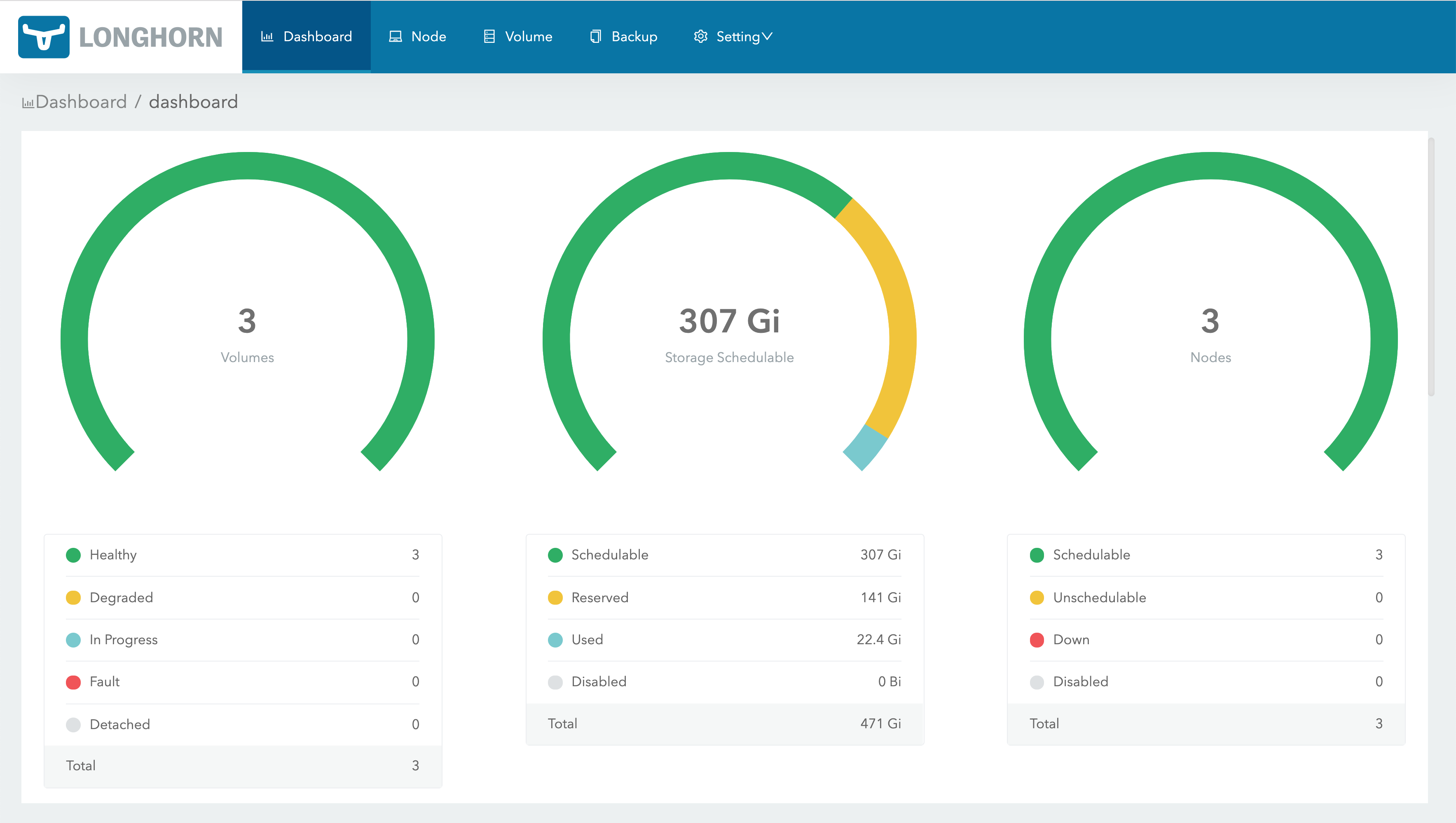
The Longhorn UI looks like this:To enable access to the Longhorn UI, you will need to set up an Ingress controller
Accessing UI longhorn